
Email Monitoring
Email Monitoring can automatically receive and parse alarm emails, converting specified content into voice broadcasts.
This device supports email monitoring functionality, periodically retrieving emails from a mailbox. When an email is received from a specified sender with a subject containing specific keywords, the alarm light will trigger alerts according to the configured rules.
When certain network devices or software platforms have the ability to send emails, this feature can be used to send alarm notifications to the alarm light.
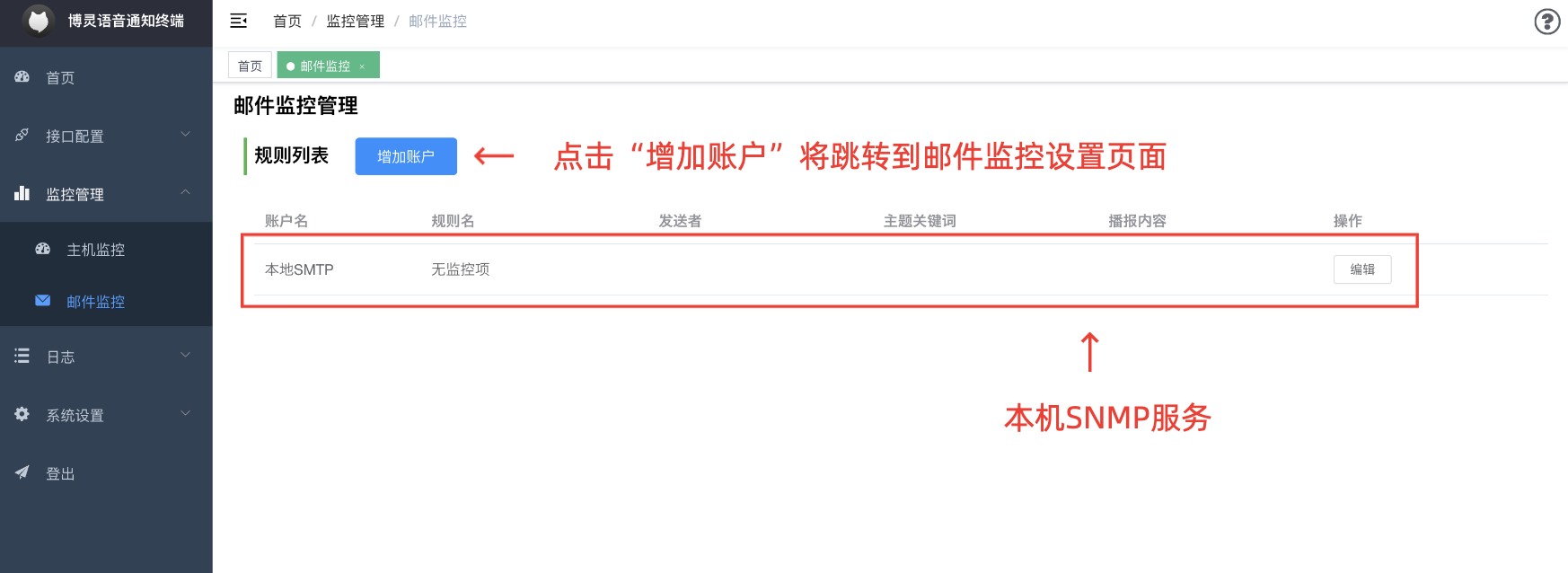
Email Collection Method 1 - Local SMTP Email Receiving Service
Section titled "Email Collection Method 1 - Local SMTP Email Receiving Service"Feature Introduction
Section titled "Feature Introduction"In intranet environments without a mail server, this feature allows the alarm light to serve as a simple mail server, enabling other SMTP-capable devices to send alarm notification emails to the alarm light for parsing.
Usage Method
Section titled "Usage Method"Open the configuration page of the device that needs to send emails. Set the email sending server to the IP address of the alarm light. No username or password login is required. The sender and recipient can be defined freely, as long as they match the subsequent rule configuration.
Specific configuration methods vary by device. Please refer to the device’s user manual or contact the device manufacturer for support.
Received emails can be viewed in Log Management -> Local Email Receiving Log.
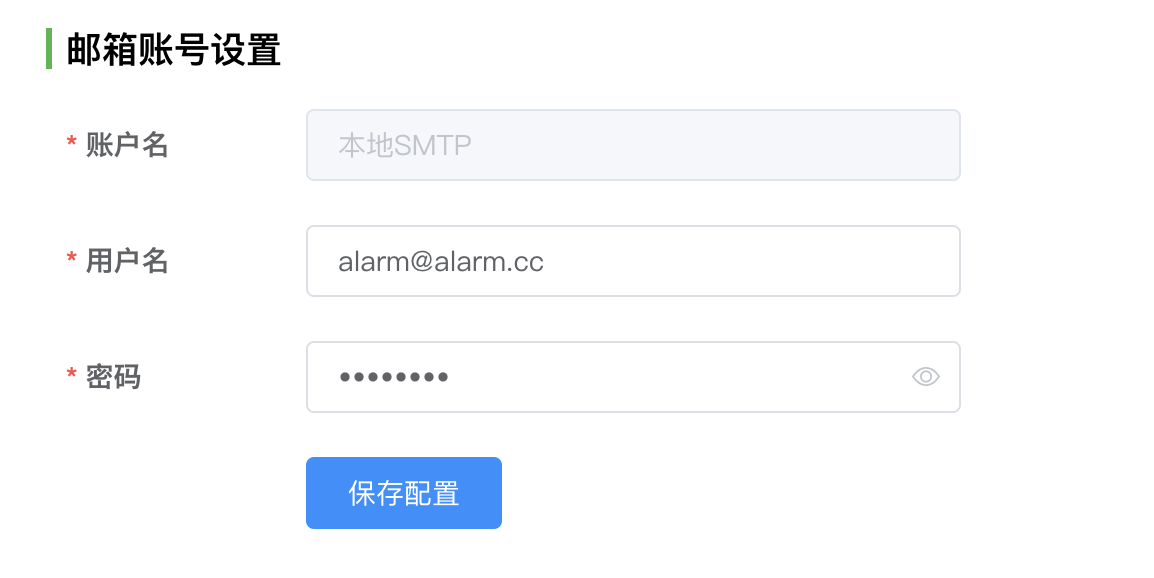
Parameters
- Account Name: Custom modification is not supported (Default: Local SMTP)
- Username: Custom local email address (Default: alarm@alarm.cc)
- Password: Custom local email password (Default: 12345678)
Configuration Example
- Add the following configuration
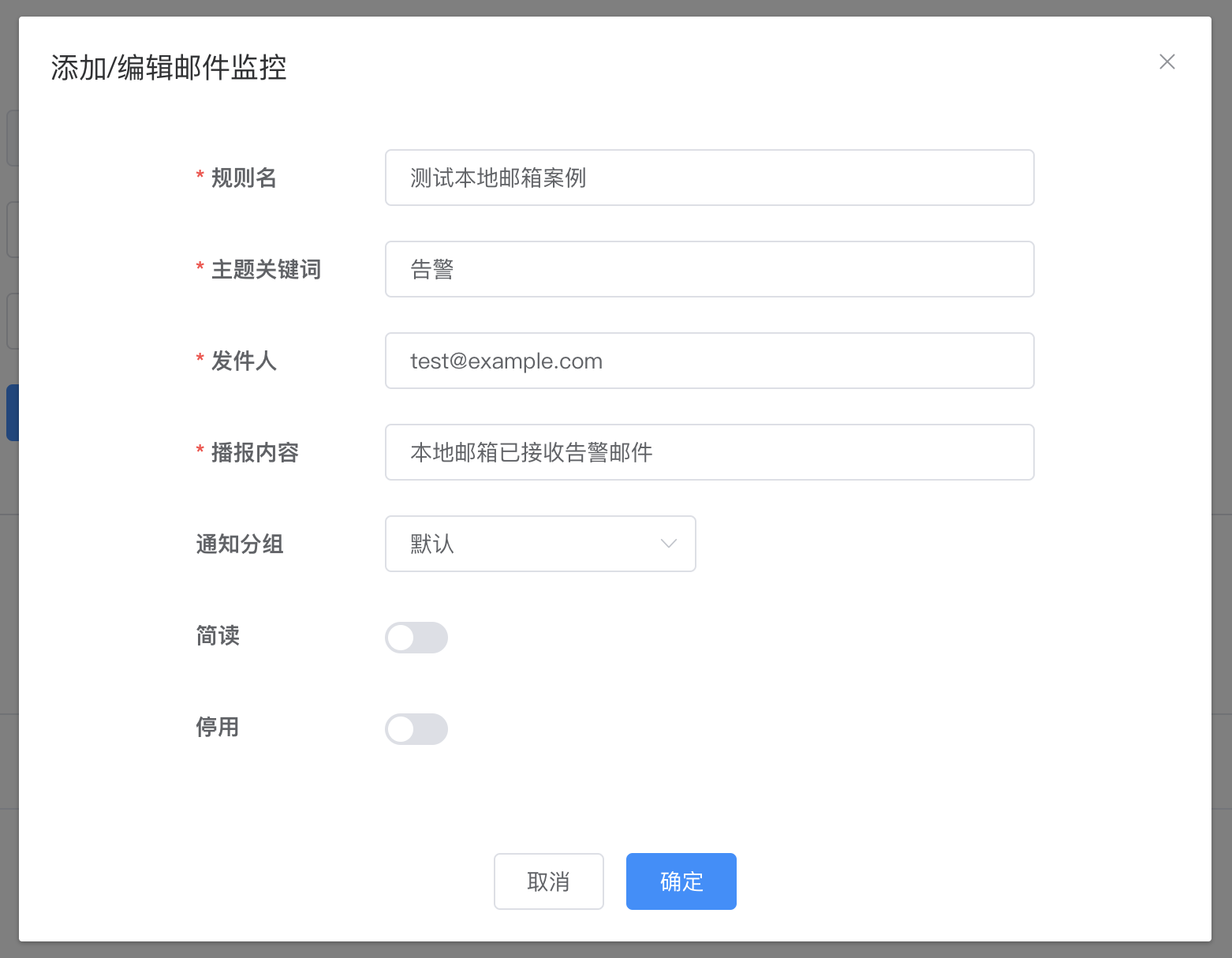
- Python Test Script
import smtplibfrom email.mime.text import MIMEText
# SMTP server settingssmtp_host = "192.168.0.99"smtp_port = 25
# Sender and recipient informationfrom_address = "test@example.com"to_address = "recipient@example.com"
# Email contentsubject = "Alert"message = "This is a test email."

# Create MIMEText objectmsg = MIMEText(message.encode("utf-8"), _charset="utf-8")msg["Subject"] = subjectmsg["From"] = from_addressmsg["To"] = to_address
# Connect to SMTP serversmtp_server = smtplib.SMTP(smtp_host, smtp_port)smtp_server.ehlo()  # Send SMTP "hello" commandsmtp_server.login("alarm@alarm.cc", "12345678")  # Login to SMTP server
# Send emailsmtp_server.sendmail(from_address, to_address, msg.as_string())
# Disconnect from SMTP serversmtp_server.quit()
Email Collection Method 2 - IMAP Email Retrieval from Other Mailboxes
Section titled "Email Collection Method 2 - IMAP Email Retrieval from Other Mailboxes"Feature Introduction
Section titled "Feature Introduction"This feature uses the IMAP protocol to log in to third-party email services. Before use, you need to enable the IMAP protocol for the mailbox.
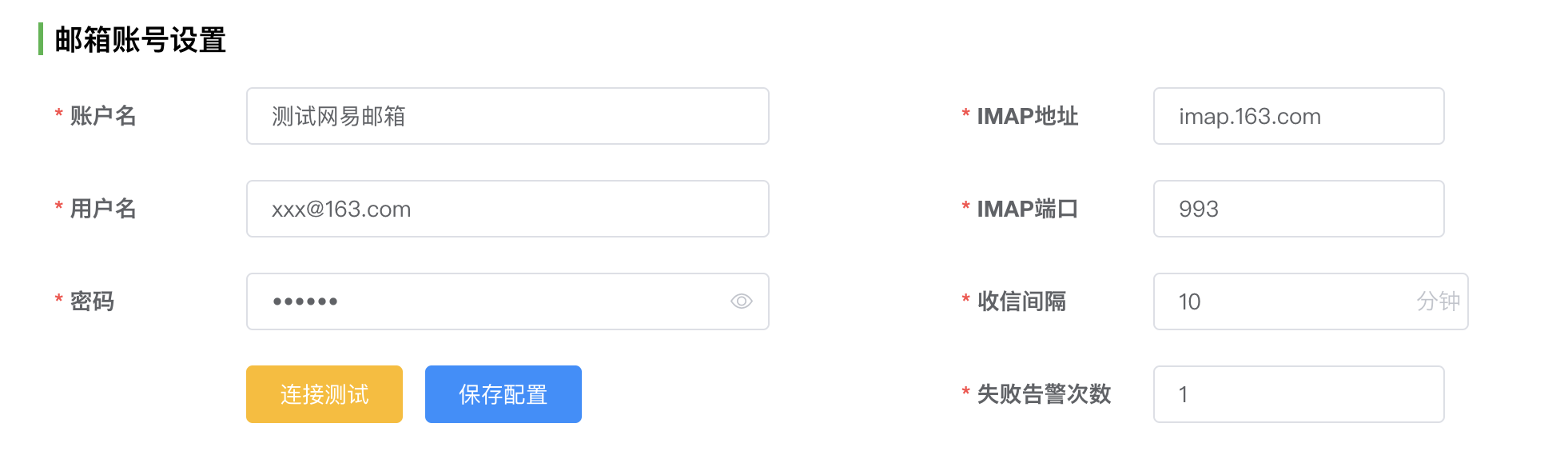
Parameters
- Account Name: Custom mailbox name
- Username: Email address
- Password: IMAP-specific password
- IMAP Address: Specify the IMAP address for the mailbox type
- IMAP Port: Specify the IMAP port for the mailbox type
- Retrieval Interval: Time interval for reading unread emails from the mailbox
- Failure Alarm Count: Maximum number of consecutive email retrieval failures
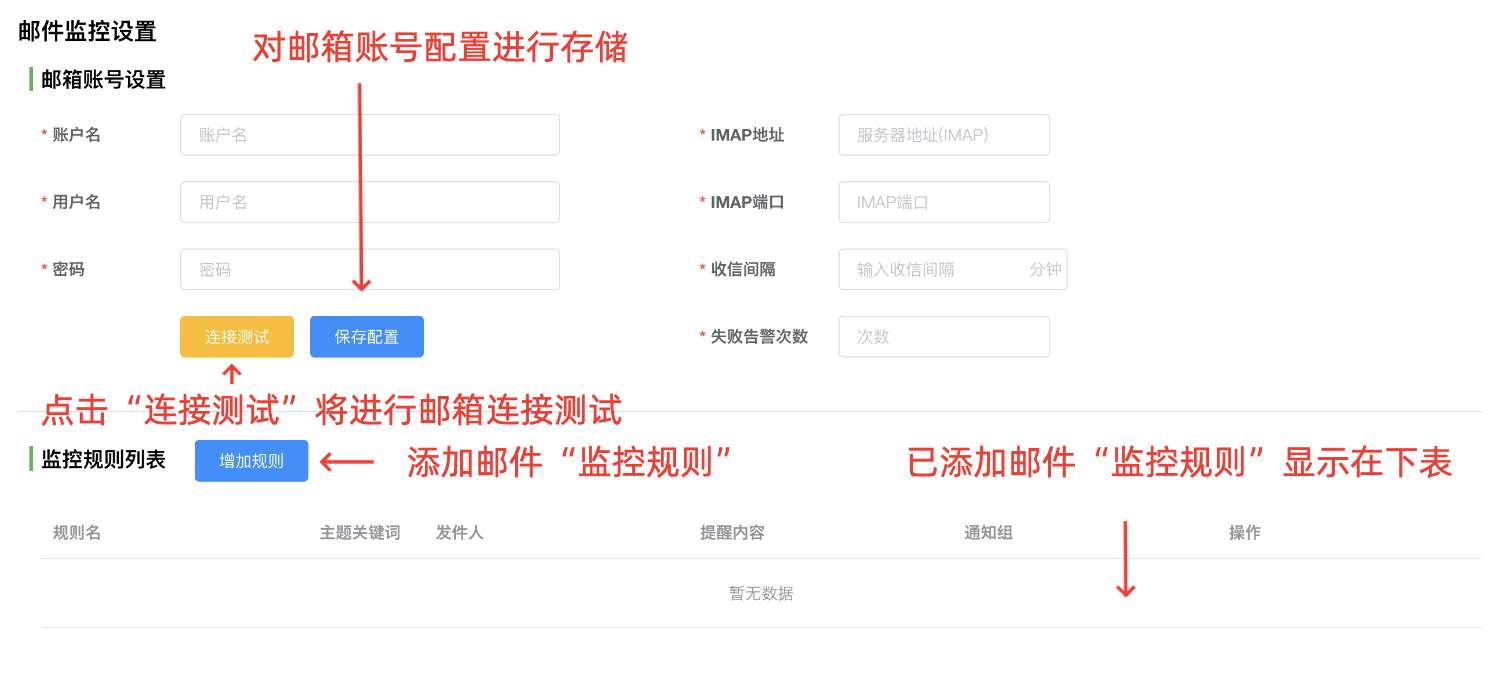
Configuration Example
- Mailbox Account Settings
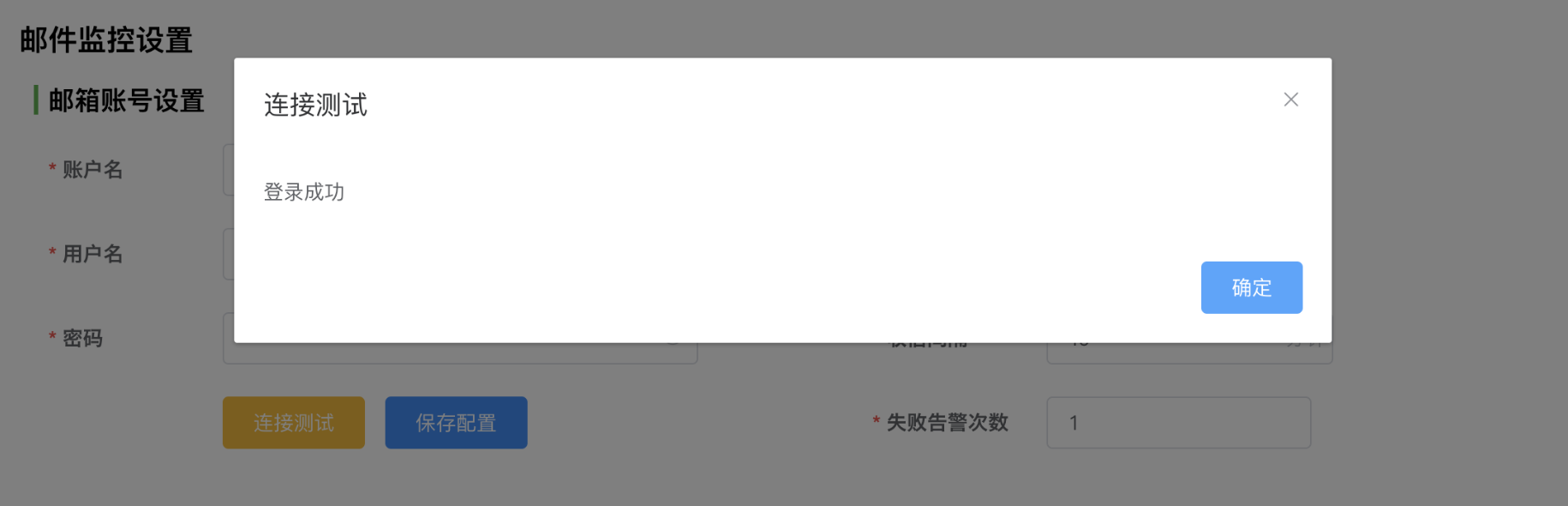
- Connection Test Result
Email Parsing Configuration
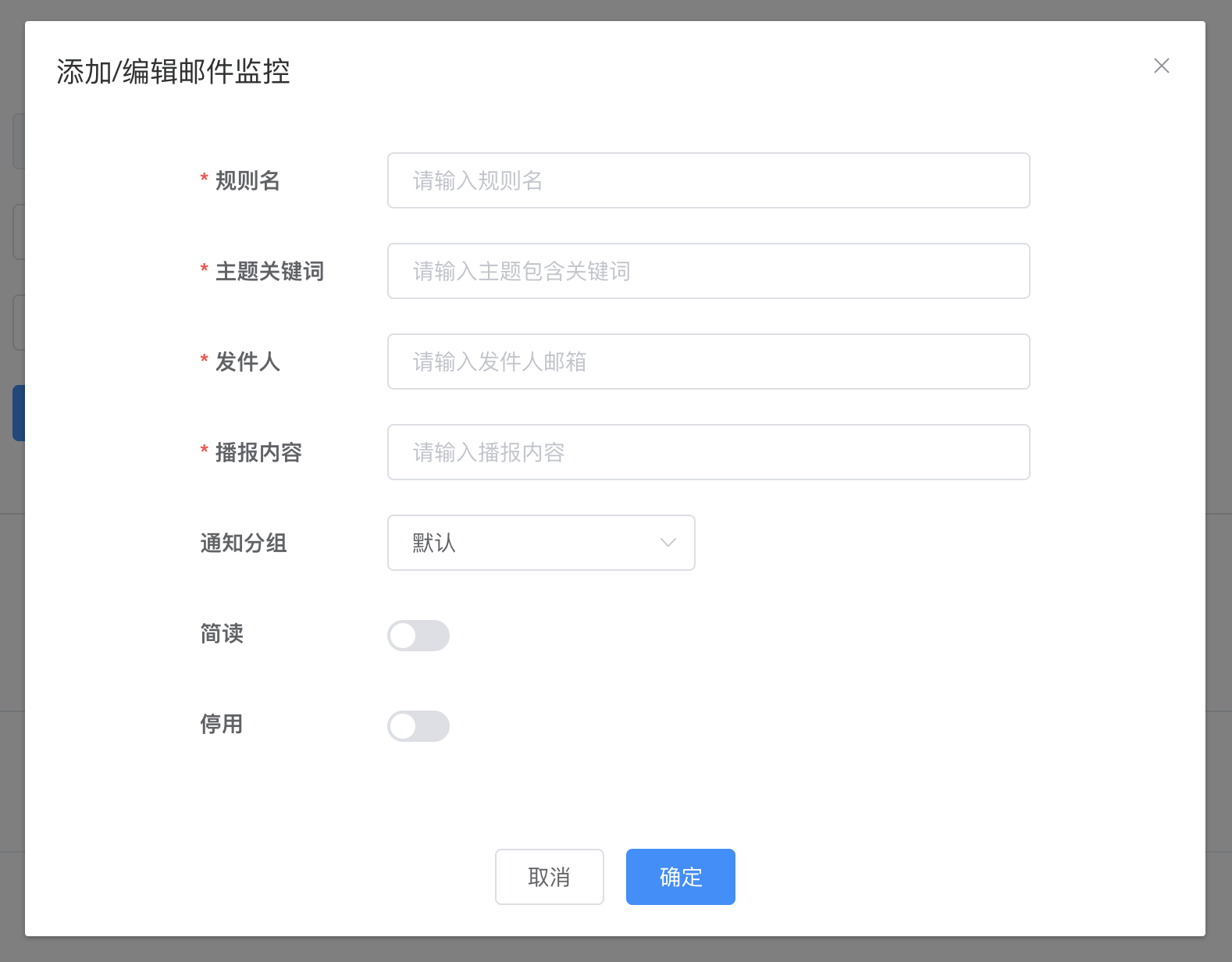
Section titled "Email Parsing Configuration"Parameters
- Rule Name: Custom email monitoring rule name
- Subject Keywords: Specific keywords contained in the email subject
- Sender: Only recognize emails from this sender
- Broadcast Content: The content to be announced via voice when an alarm is triggered (supports regular expressions)
- Notification Group: Defaults to the default notification group if not changed; otherwise, please add a notification group first and then select it
- Read First Match Only: When the regular expression matches multiple results, only the first matched result will be read aloud
- Disabled: Disable this monitoring item
Configuration Example
- Set email monitoring rules
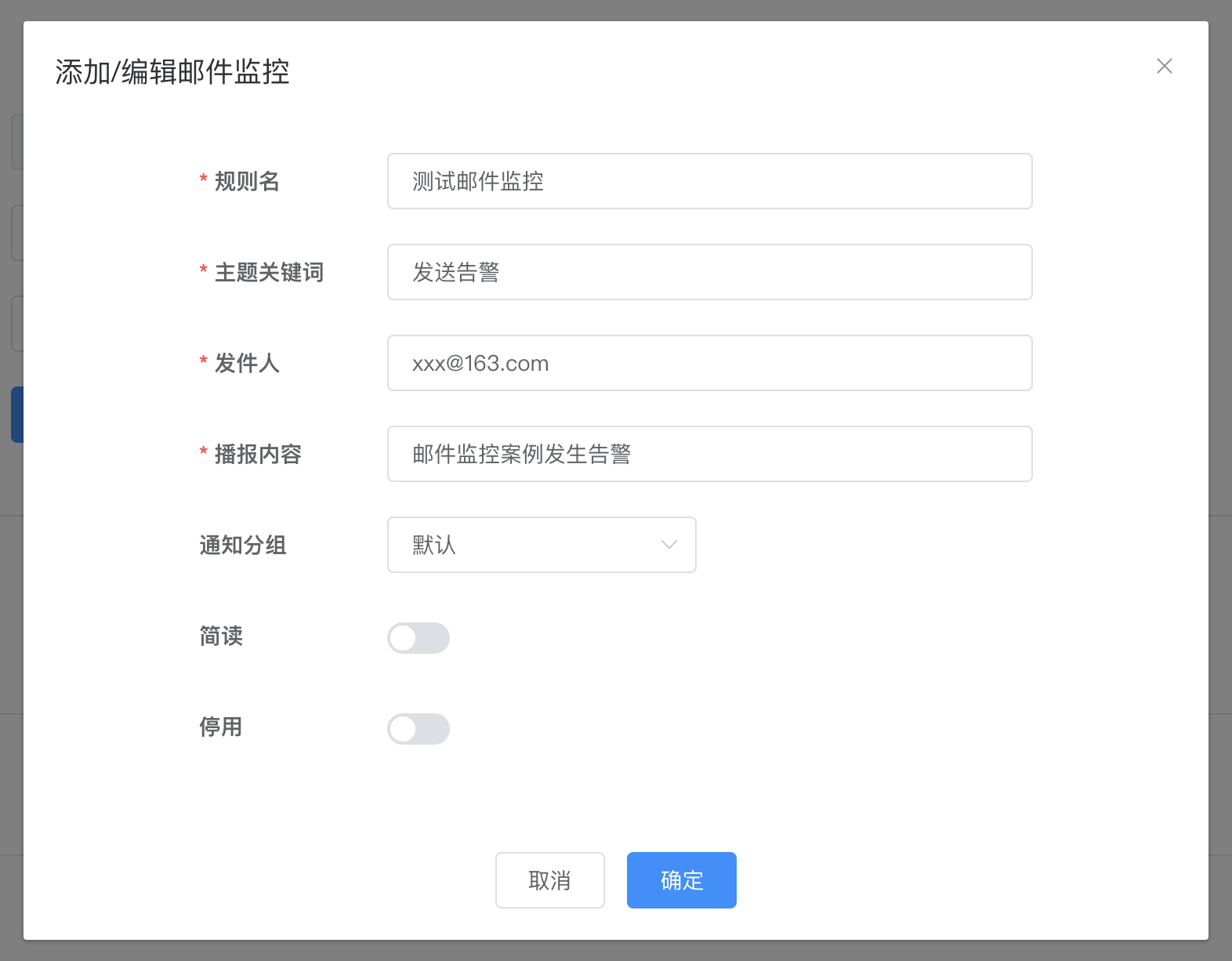
- Send an email with the subject containing “Alarm Triggered” to the xxx@163.com mailbox
- The alarm light will perform voice broadcast according to the configured settings