Hikvision NVR Integration
Receive NVR alert emails through email monitoring to achieve voice notifications when video surveillance anomalies occur.
This article demonstrates NVR integration using the alarm light’s email monitoring feature, monitoring emails via a local SMTP service and triggering audio-visual alert responses.
Alarm Light Configuration
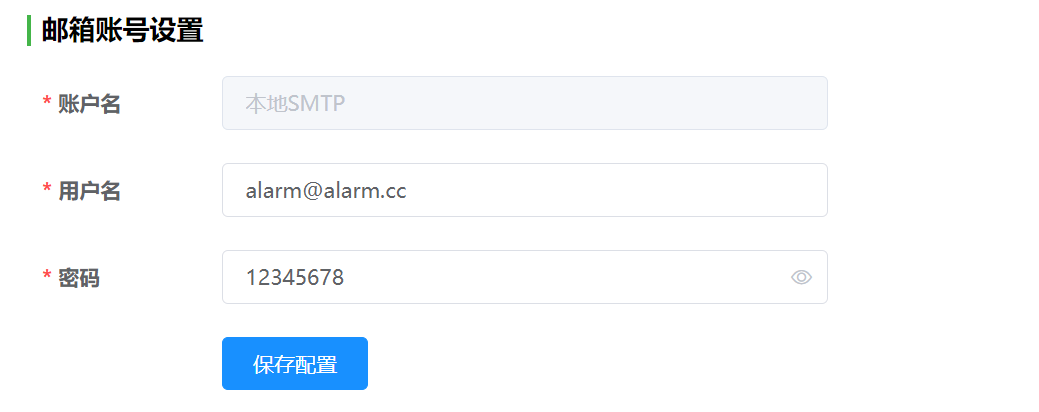
Section titled "Alarm Light Configuration"Set Up Email Account
Section titled "Set Up Email Account"- Username: Set the
local SMTPusername - Password: Set the
local SMTPpassword
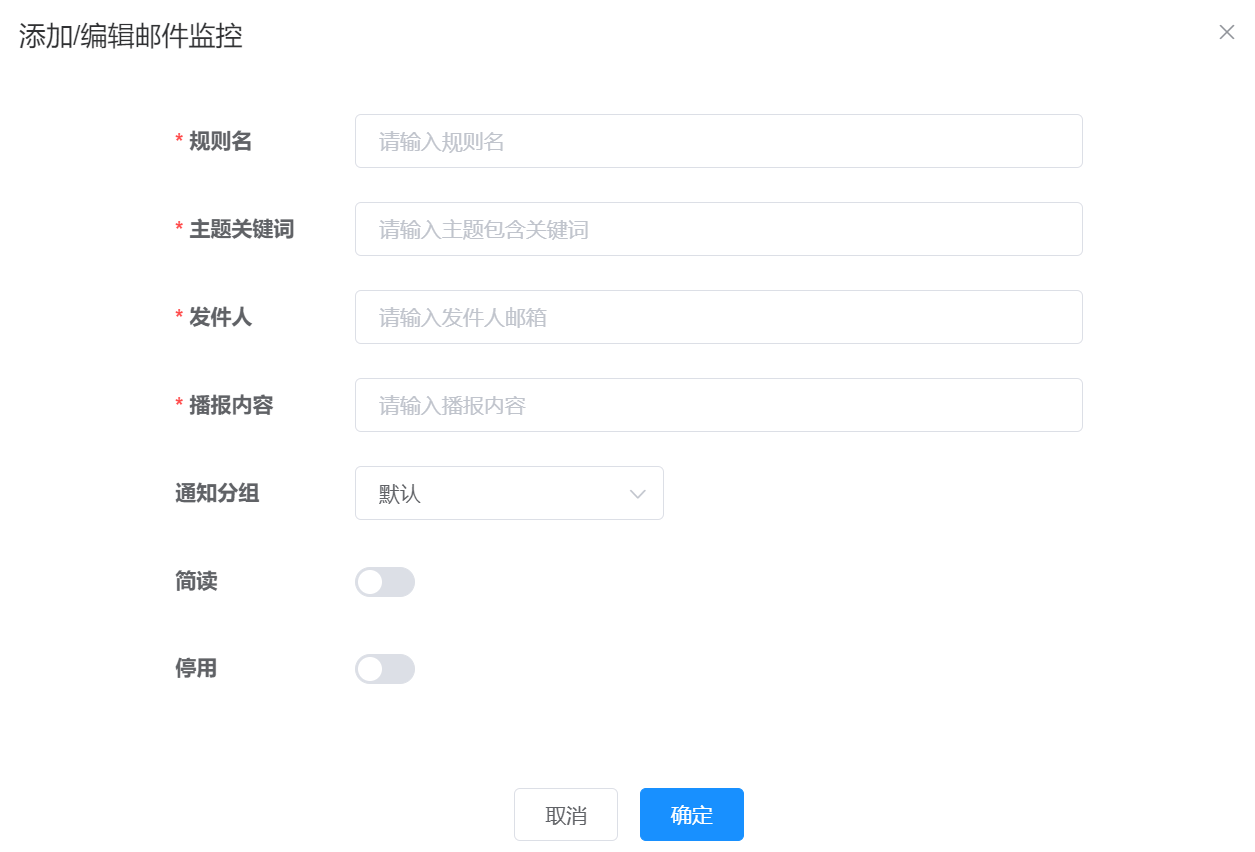
Add/Edit Email Monitoring
Section titled "Add/Edit Email Monitoring"- Rule name: Custom monitoring name
- Subject keywords: Monitor keywords in the email subject content
- Sender: Monitor email sender
- Announcement content: Voice announcement content (supports regular expressions)
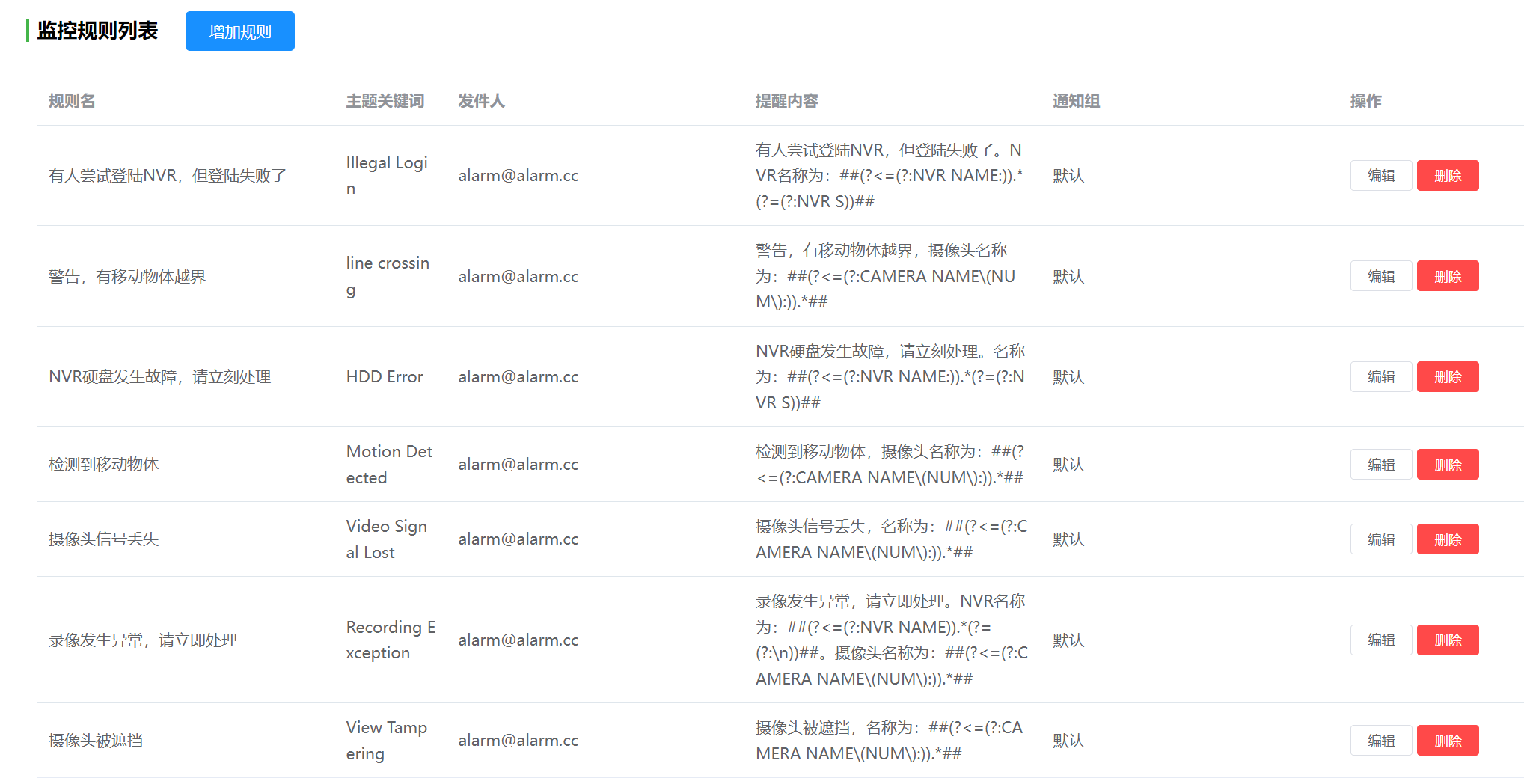
Monitoring Rule List
Section titled "Monitoring Rule List"The following examples are currently supported
Hikvision NVR Email Configuration
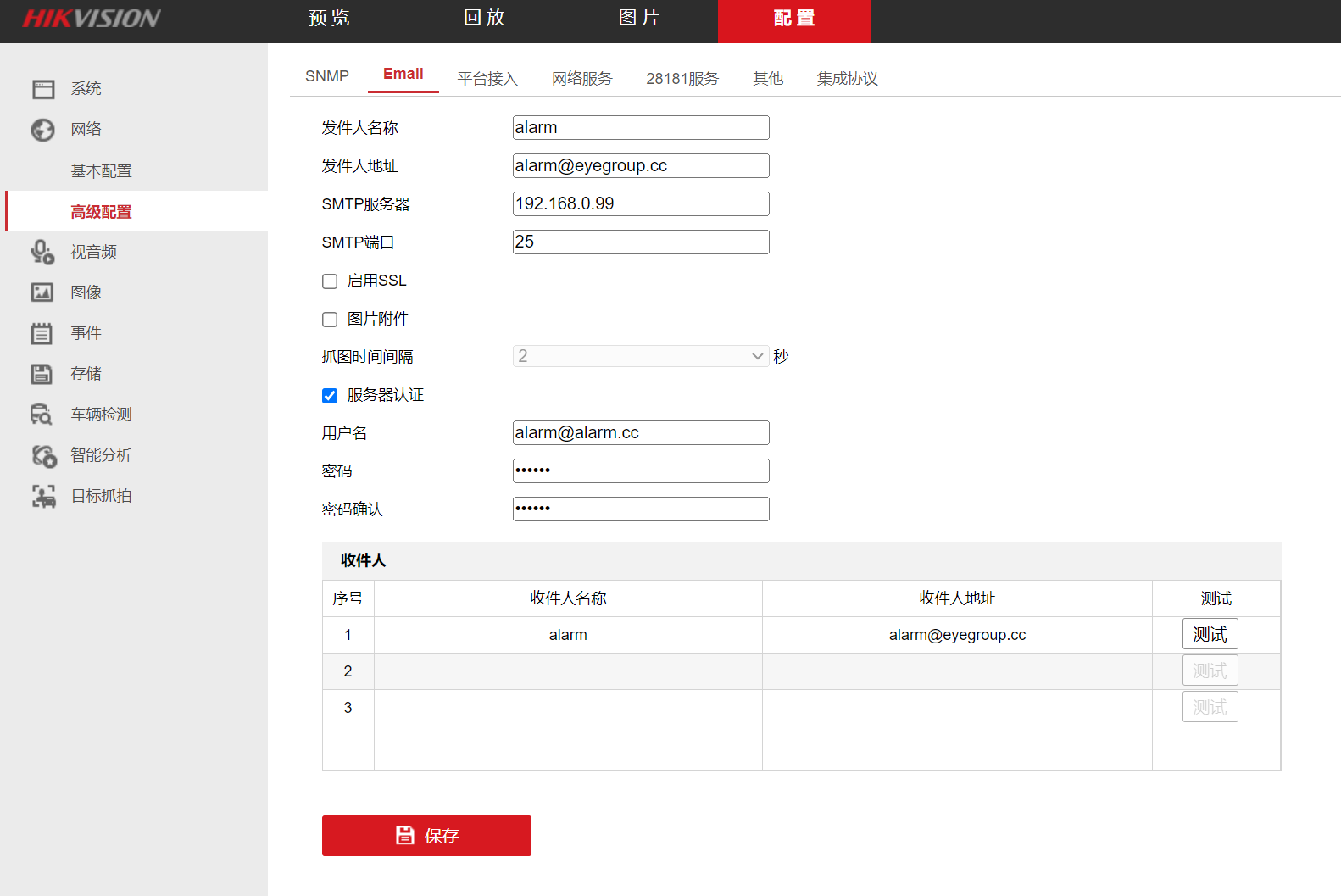
Section titled "Hikvision NVR Email Configuration"- Enter the sender name and sender address as required.
- Enter the alarm light IP address in the
SMTP serverfield, and enter25in theSMTP portfield. - Check
Server authentication, and enter the alarm light’slocal SMTP username and passwordin the corresponding fields. - Add a recipient name and enter the alarm light’s email monitoring sender email address in the recipient address field.
- Click the Save button, then click the Test button. When the test is successful, the configuration is complete.
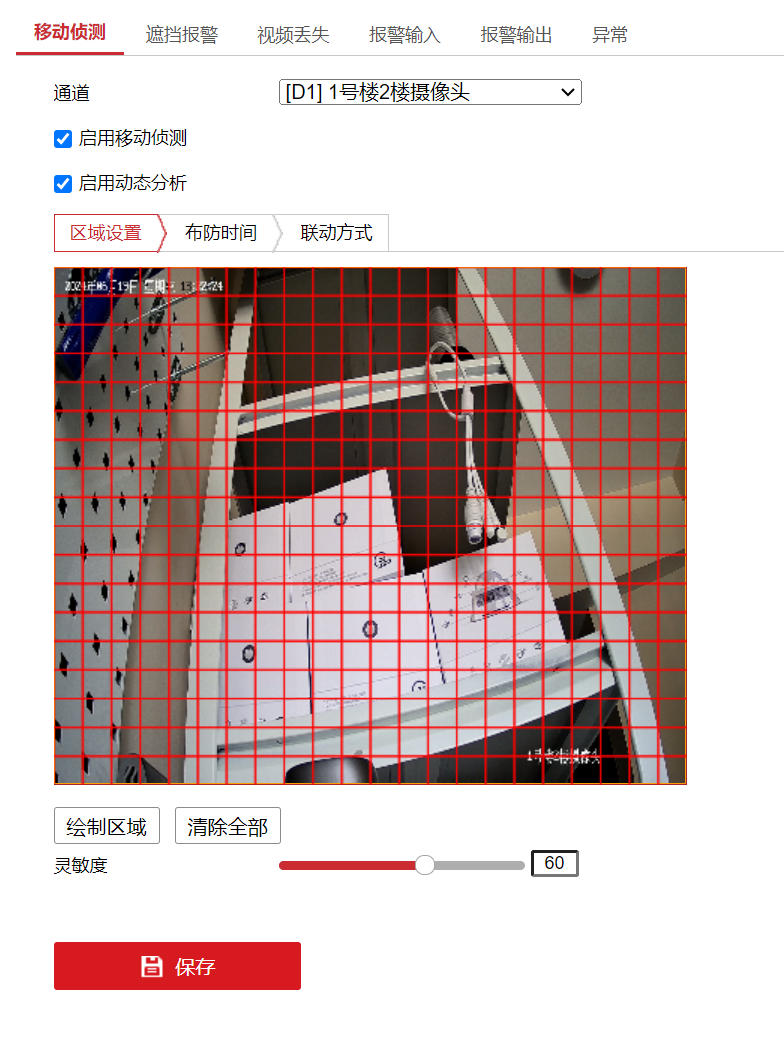
Motion Detection Example
Section titled "Motion Detection Example"- The red grid area is the detection range.
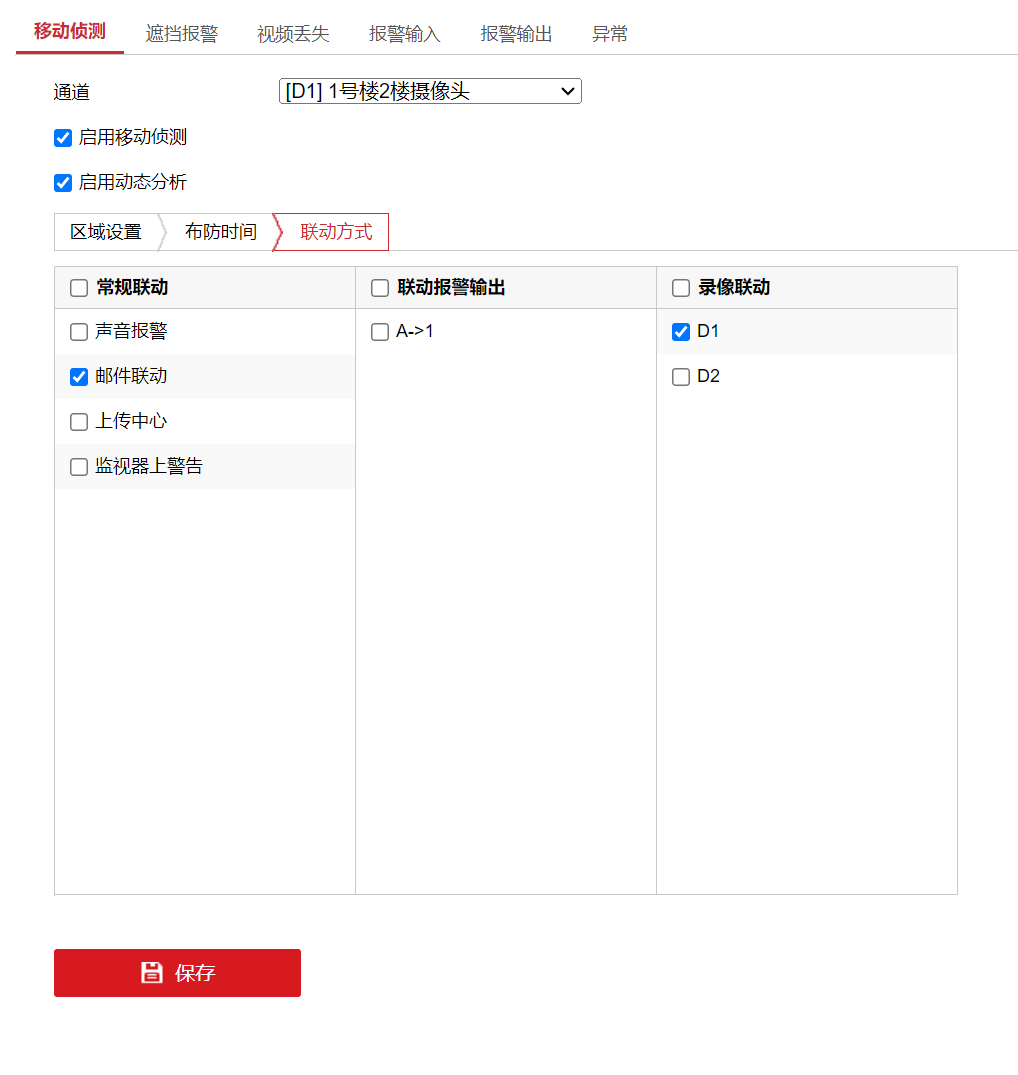
- Select the linkage method as email linkage.
- Designate the recording linkage camera.
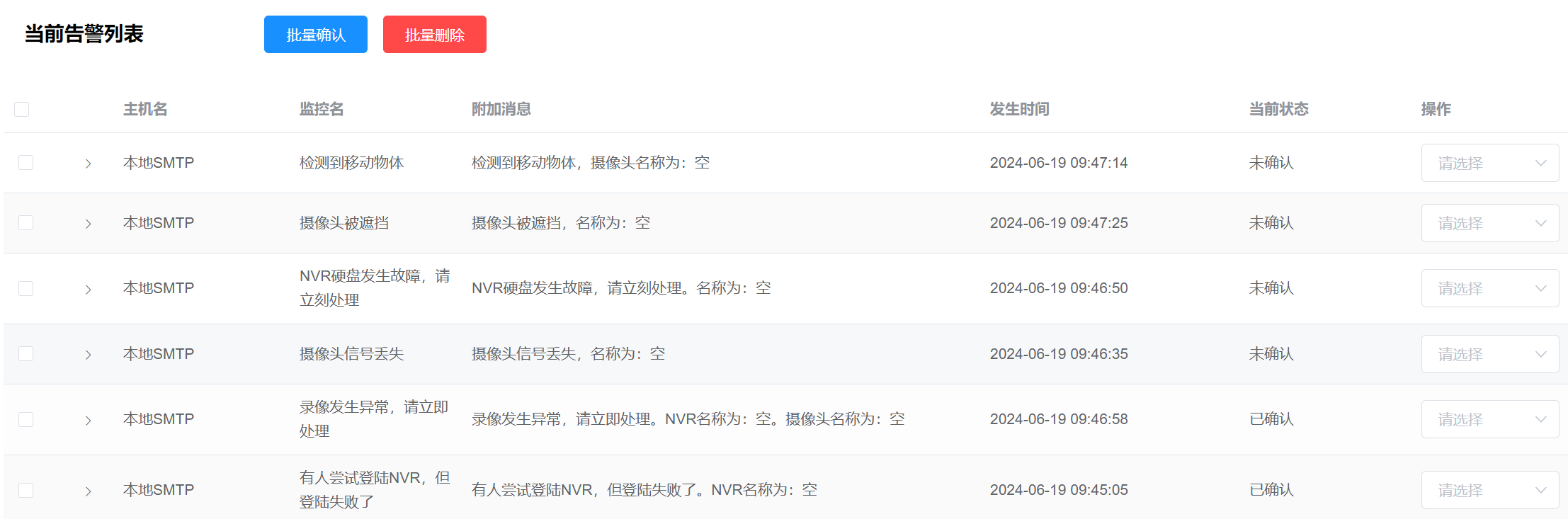
Alarm Light Homepage Alert List
Section titled "Alarm Light Homepage Alert List"Alerts that have triggered email monitoring will be displayed in the homepage alert list.